Hotel franchises have a permissions problem wearing a hospitality costume. An owner might hold five properties; each property has managers, security heads, and utility staff; and every one of them needs to see exactly their slice and nothing else. This CMS is two connected experiences: one for the web admin who sets up the world, one for the site managers who live in it.
The admin side
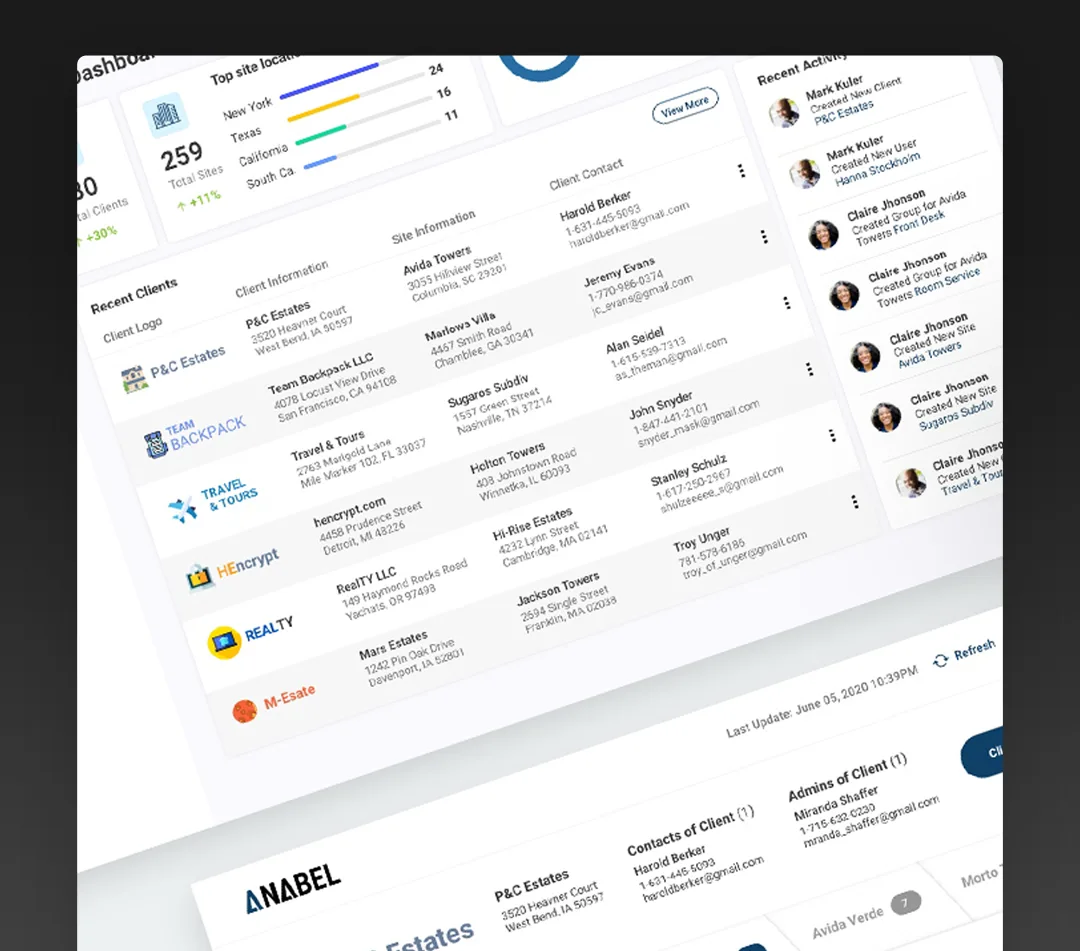
The control center shows the web admin the recent franchises created, owner activity, and server status at a glance. From there, the two big flows:
Creating a franchise, in six steps
- Client information. The owner's basics: logo, name, billing address.
- Client contacts. Assign contact persons, create or edit them, attach several to one client.
- Admins of client. Individuals granted admin privileges across all of the owner's sites, pseudo web admins.
- Group admins. Anyone who does admin work for a hotel function: a site manager, a security head, a utilities manager. Add new ones or pull existing people from the database.
- Group definitions. What each group is for, and which notifications and alerts it receives.
- Site configuration. Global or per-site security controls, and attaching pre-existing sites.
Setting up a hotel site
Tabs instead of steps, because sites get revisited: site information and active status, site details with photos, floor plans, and the Wi-Fi passwords for the hotspot hubs, room plans, the site's managerial team, notification setup per user group, and security options.
The site manager side
Managers get a summary dashboard per site: connected users, alerts, and every job alert with its status. They create and clear job alerts from the staff alerts tab, and the reporting view turns the day's activity into a daily report without the manager assembling it by hand.
The admin defines the org chart once. The manager never has to think about it again.